Guides for customers
Everything you can do in the Galiwala app, with the screen and what to tap.
Other guides: Guides for partners · Guides for brands
Search for anything nearby
Type, speak or take a photo. Galiwala understands English, Hindi and Hinglish.
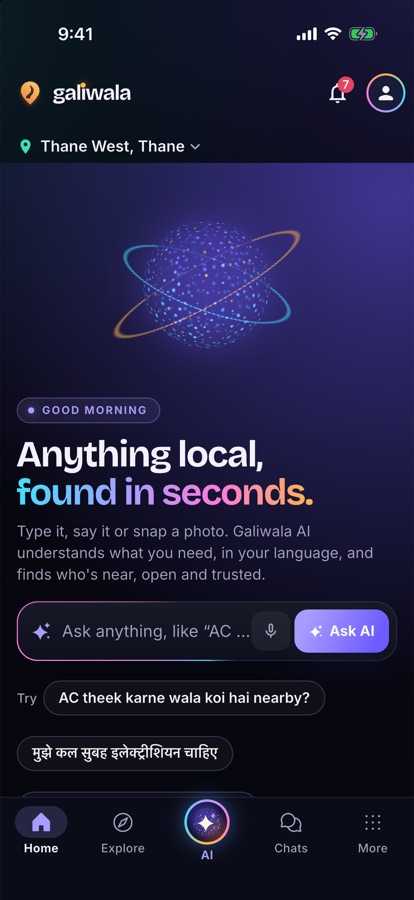
- 1Tap the bar and type, or tap the mic to speak, or the camera to search by photo.
- 2Filter: open now, rating, verified partners, distance.
- 3Tap a result to open the business page. 'Matched #tea' means the partner tagged it.
Where to find it: Home › search bar at the top
▶ Video tutorial in the app: Account › Tutorials
A business page
Everything about a partner: menu, prices, hours, reviews and ways to reach them.
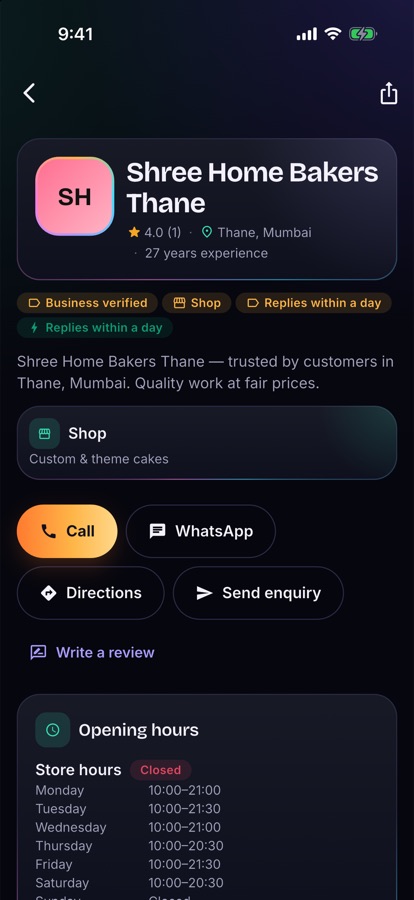
- 1Chat or send an enquiry without sharing your number; book a time if the partner takes bookings.
- 2Menus are in sections; tap a section to jump to it.
- 3Tap Ask next to an item to check it is available before you go.
Where to find it: Tap any search result or a shared link
Ask "Is it available?"
Save a trip: ask a shop if they have an item. They answer yes or no in the app.
- 1Tap Ask, add how many and a note if you like, then send.
- 2You get a notification when the partner answers (with price and ready time if they add them).
- 3All your questions and answers are under Account › My questions.
Where to find it: Business page › Ask (next to an item) or "Ask if they have something"
Your namebook
Save businesses under names you remember, like "37 Dental clinic" or "Chandigarh best chai wala".
- 1Your own name for them, plus labels and a private note.
- 2Tap the person+ icon on any business page to save it.
- 3Search your names; they also show first in the main search box.
Where to find it: Business page › person+ icon · Account › Namebook
Share with friends and family
Send a business or a post on WhatsApp, SMS, Instagram or any app.
- 1Pick any app from your phone's share list.
- 2An image card with a QR code works on Instagram and WhatsApp Status.
- 3Friends land on that exact page, in the app if they have it.
Where to find it: Business page › share icon · any post › share icon
Fill a partner's form
When a partner (e.g. a CA for your tax return) needs details, they send a form. Fill it in the app, attach papers, done.
- 1Open the form from the notification or Account › My forms. It saves as you type.
- 2Sensitive answers (PAN, bank) stay hidden from the partner until they confirm it's them.
- 3Tick the agreement and send. You can delete your answers any time.
Where to find it: Notification or Account › My forms
Posts, offers and #tags
Follow partners for new arrivals and offers near you.
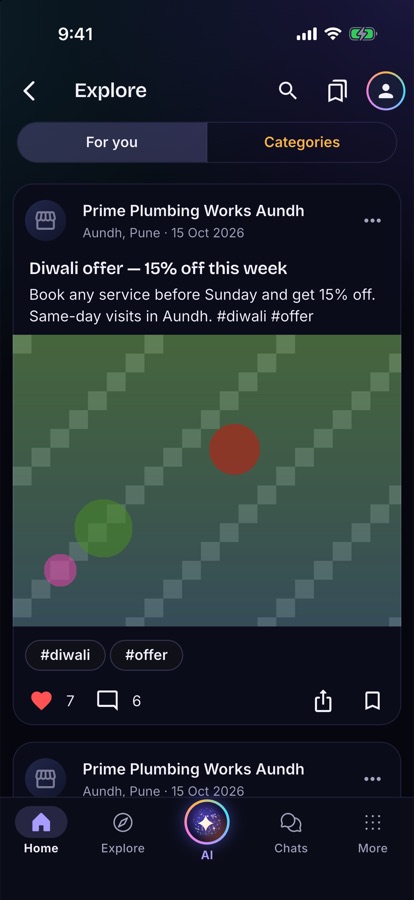
- 1Posts from partners near you, newest first.
- 2Tap a #tag to see more like it.
- 3Like, comment, save or share a post.
Where to find it: Feed tab
Your privacy and safety
How Galiwala keeps your number and details safe.

- 1Your phone number is shared only when you choose.
- 2Report anything wrong; our team checks it.
- 3Turn on app lock and see where you are signed in.
Where to find it: Account › Privacy · Account › Security
Enquiries and replies
Tell a partner what you need. Their reply appears in the open chat straight away.
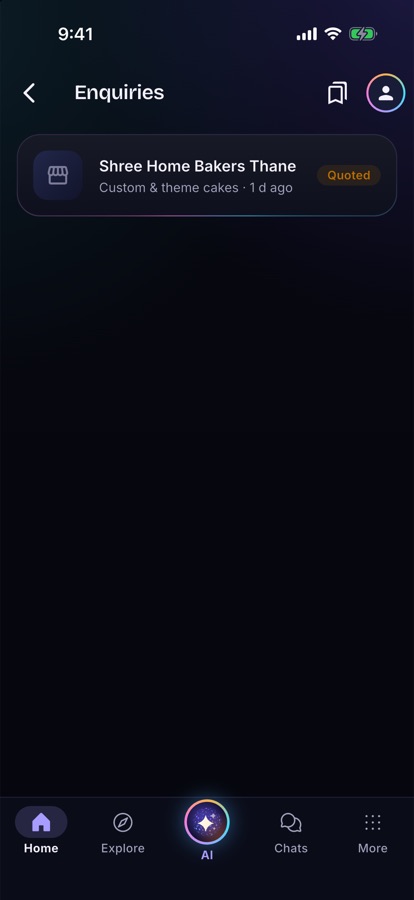
- 1Each enquiry shows its status: sent, viewed, replied, quoted or hired.
- 2Keep the chat open: new replies arrive by themselves, no need to go back and forth.
- 3Mark hired when you book them. That unlocks a verified review.
Where to find it: Business page › Enquire · Chats tab › Enquiries
▶ Video tutorial in the app: Account › Tutorials
Quick chat with a partner
A short private chat for a quick question. Part of Galiwala Plus.
- 1Pick a ready question or type your own. The partner accepts or declines.
- 2Replies appear live while the chat is open.
- 3The chat closes for good after 5 quiet minutes. Ask again any time with a new request.
Where to find it: Business page › Chat · Chats tab › Chats
Saved messages
Keep the messages that matter: an address, a price, a date.
- 1Long-press the message you want to keep.
- 2Tap Save message. A small bookmark shows on it.
- 3Open Saved messages from the bookmark icon on the Chats screen. Remove any time.
Where to find it: Long-press any message › Save message · Chats › bookmark icon
Book a time
Pick a free slot in a partner's calendar; they confirm or suggest another time.
- 1Choose a day.
- 2Choose a free time and add a note.
- 3Track it under Bookings: confirmed, new time proposed, or cancelled.
Where to find it: Business page › Book · Account › Bookings
Get quotes from several partners
Describe the job once; matching partners send you prices to compare.
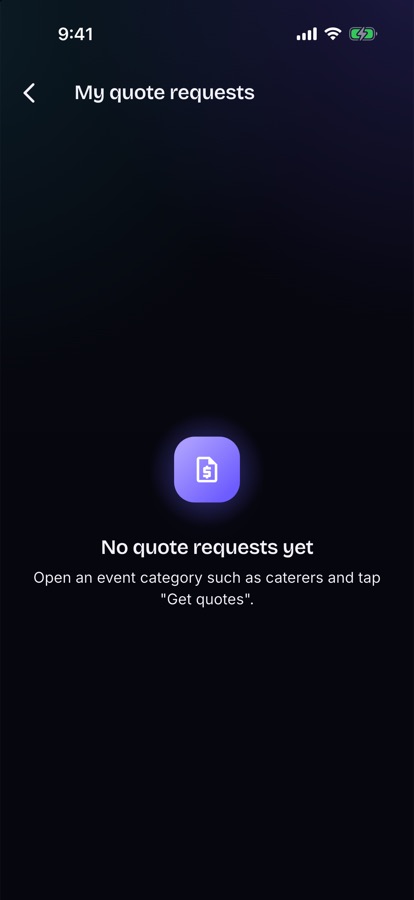
- 1Fill the short brief: what, when, where, budget.
- 2Quotes arrive with price, what is included and how long they are valid.
- 3Accept the one you like or decline the rest.
Where to find it: Home › Get quotes · Account › Quotes
Buy and sell nearby
Post things you want to sell and find second-hand deals close to you.
- 1Add photos, a price and the area; your ad goes live after a quick check.
- 2Browse nearby ads by category and distance.
- 3Chat with the seller in the app; your number stays private.
Where to find it: Explore › Buy & Sell
▶ Video tutorial in the app: Account › Tutorials
Donate and give away
Give things you no longer need to people nearby, or support a cause.
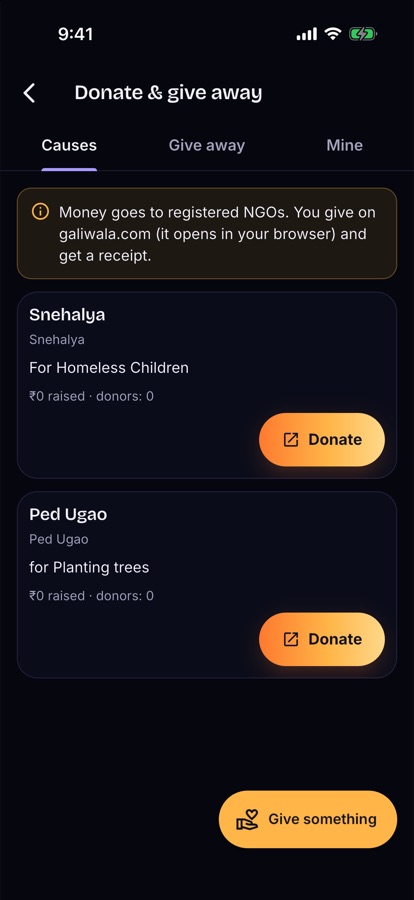
- 1Post the item with a photo and where to pick it up.
- 2People nearby see it and ask for it.
- 3Choose who gets it; the item then closes.
Where to find it: Explore › Donate
▶ Video tutorial in the app: Account › Tutorials
Urgent help
Need a plumber or electrician right now? Nearby partners who are free get your request at once.
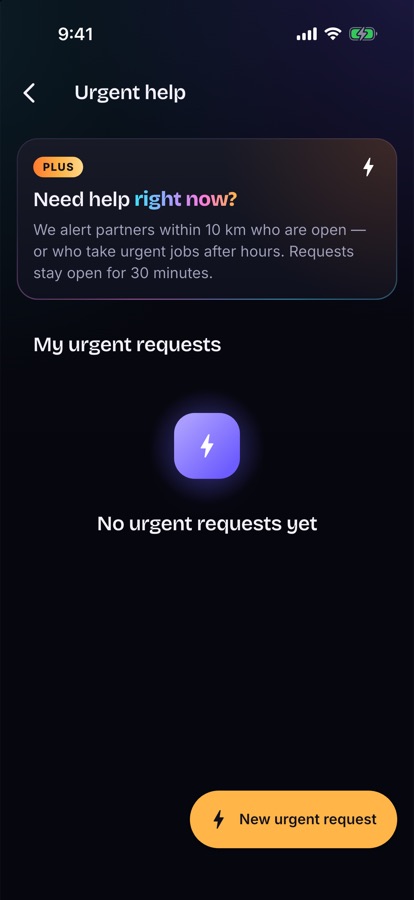
- 1Say what is wrong and how soon you need help.
- 2Free partners nearby are alerted straight away.
- 3Pick one of the partners who respond.
Where to find it: Home › Urgent help
Ask the Galiwala assistant
Ask in your own words, like "who repairs washing machines near me today?"
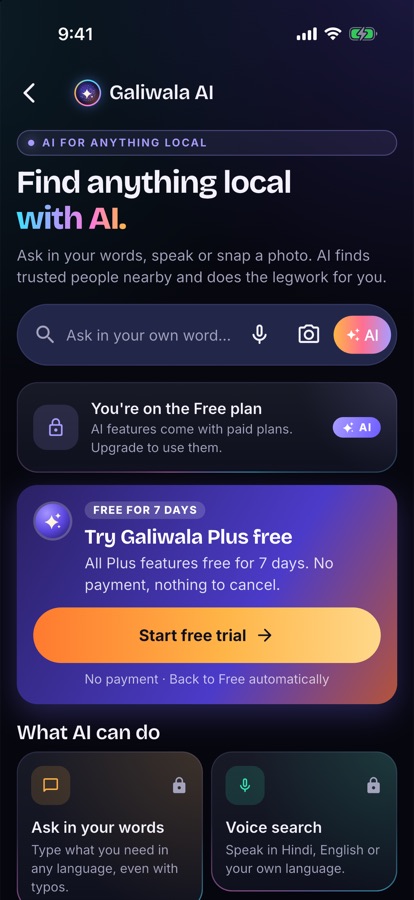
- 1Type or speak your question.
- 2The assistant understands what you need and where.
- 3Open a suggested partner, or send them an enquiry from there.
Where to find it: Home › ✨ Ask
Hire a crew
Need a group, like a mason with helpers? Ask once and we put the crew together.
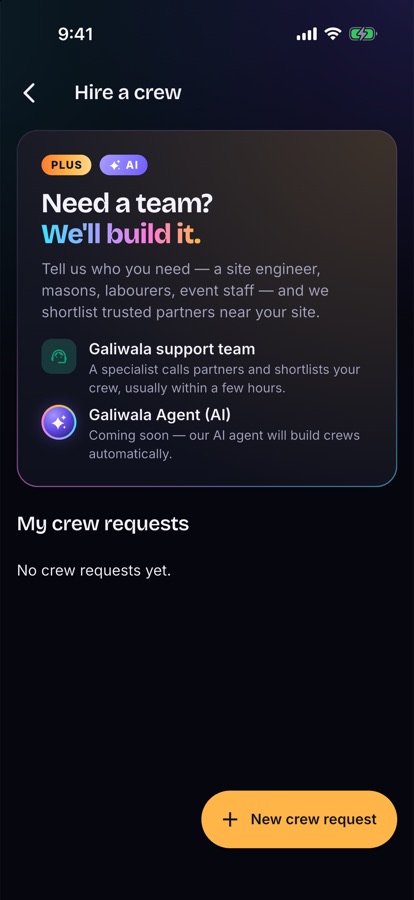
- 1Say which roles, how many, where and when.
- 2Our team proposes partners for each role.
- 3Confirm the crew or ask for changes.
Where to find it: Explore › Hire a crew
Galiwala Plus and free trials
Plus unlocks quick chat, crew hire and more. Try it free when a trial is on.
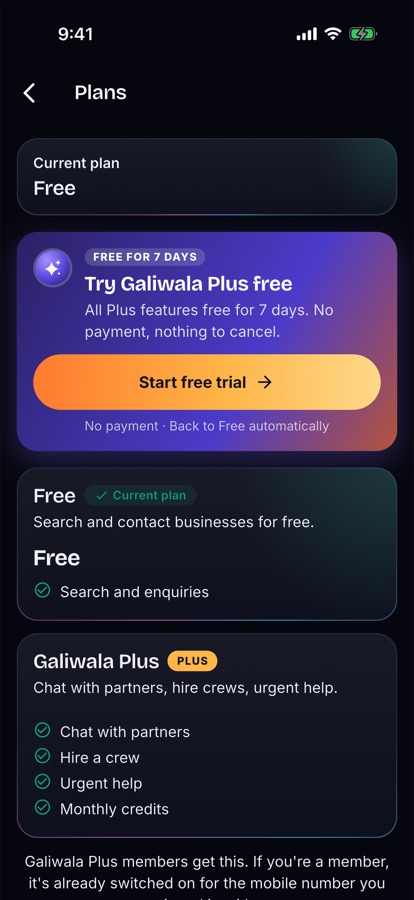
- 1See what each plan includes.
- 2Start a free trial when one is offered.
- 3Your renewal date is always shown; cancel from the same screen.
Where to find it: Account › Plans
App lock, MPIN and sign-in safety
Keep your account yours: lock the app, set an MPIN and see every device you are signed in on.
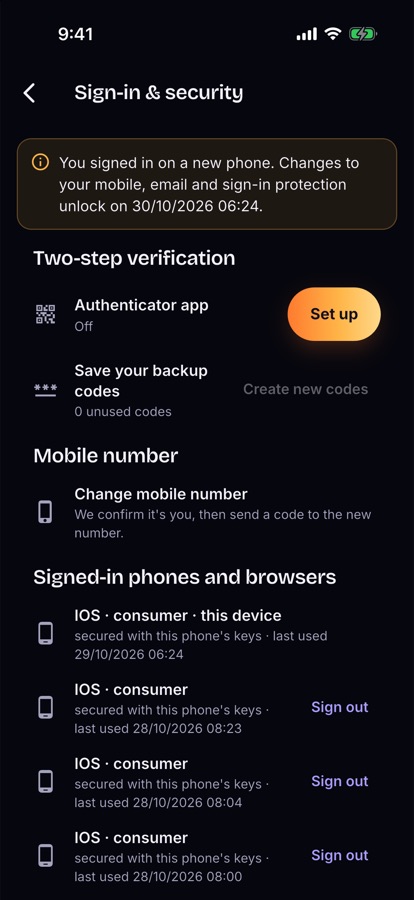
- 1Turn on app lock so the app asks for your fingerprint or face.
- 2Set an MPIN for quick, safe sign-in.
- 3Sign out any device you don't recognise.
Where to find it: Account › Security